Before and after editing… even Miss Jolie needs it

Being in Marketing I have had to learn Photoshop, Gimp e.t.c and as brilliant as these programs are, sometimes, for personal or business use,you just want a simple way to make your pictures prettier add text or animation, create a collage, scrapbook paper, cd covers, adverts and even change them up to look vintage, hand drawn or brand relevant. Budgets and time constraints in SMEs in and large corps don’t often allow for agency and graphic design use – plus briefing these kind and helpful folk doesn’t always give you the results you want.
And we all have those days when we so wish the old adage the camera “never lie’s” was a complete load of…. rubbish because you could swear the pimple or wrinkle in the pic was not their when the photo was taken and you certainly did not think it would look like a flashing strobe light, you did not invite to the picture party!
For all the above there are simple solutions on the web. Ones that don’t require you to have done a ten year course on graphic design…. ones that are so simple and easy to use you may even become addicted and pull out every photo ever taken, fire that ad agency and never look back!
Free Programs and some with free trials…..
1.  http://picasa.google.com/
 |
| Free photo editing software from Google, now with name tags. |
 |
Picasa is free photo editing software from Google that makes your pictures look great.
Sharing your best photos with friends and family is as easy as pressing a button!
2. Windows Live Photo Gallery 2011 http://explore.live.com/windows-live-photo-gallery?os=other
- Save time by publishing photos and videos directly from Photo Gallery to your favorite social networking sites like SkyDrive, Flickr, Facebook, and YouTube.
|
- With new search features and tools like face recognition, finding photos in your collection is easier than ever.
|
- Make your photos really stand out with powerful and easy-to-use editing tools that you can use to edit dozens of photos simultaneously. Clean up photos, remove blemishes, fix red eye, and more.
|
Photos made fun
Import photos from your camera, organize them into albums, and edit them so they look their best. Use powerful photo tools to create stunning panoramas, movies, slide shows, and more. When you’re ready to share, publish your photos and videos to your favorite websites like Facebook and Flickr directly from Photo Gallery.
Download now
View system requirements
3. http://www.photoscape.org/ps/main/index.php
Photoscape is a fun and easy photo editing software that enables you to fix and enhance photos.
Key Features
- Viewer: View photos in your folder, create a slideshow
- Editor: resizing, brightness and color adjustment, white balance, backlight correction, frames, balloons, mosaic mode, adding text, drawing pictures, cropping, filters, red eye removal, blooming, clone stamp
- Batch editor: Batch edit multiple photos
- Page: Merge multiple photos on the page frame to create one final photo
- Combine: Attach multiple photos vertically or horizontally to create one final photo
- Animated GIF: Use multiple photos to create a final animated photo
- Print: Print portrait shots, carte de visites(CDV), passport photos
- Splitter: Slice a photo into several pieces
- Screen Capture: Capture your screenshot and save it
- Color Picker: Zoom in on images, search and pick a color
- Rename: Change photo file names in batch mode
- Raw Converter: Convert RAW to JPG
- Paper Print: Print lined, graph, music and calendar paper
- Face Search: Find similar faces on the Internet
 4.
4. http://free.zoner.com/
Zoner Photo Studio 13 FREE View, edit, manage, and share your photos
- Powerful but easy to use
- Correct red eye, blurring, and other defects
- Organize photos—all information is stored in pictures,
you can freely use it in any other program
- Create 3D pictures, contact sheets, calendars,
greeting cards and more
-
Find, browse, and view your photos fast—never lose a picture again.

- Download pictures easily
- Get organized with Sort Pictures
- Quickly find any photo
- Describe and tag your pictures
- Geotag to show where you took your shots
From simple touchups and one-click fixes to fancy creative work, it’s all here.

- Quick Fix – fix it all in one click
- Remove red eye, wrinkles. And other editing functions
- Add cool effects
- Fix exposure problems fast
- Sharpen blurred pictures
We know sharing is the point, and you’ll find lots of ways to do it.

- Turn your pictures into panoramas…
- …or even 3D pictures
- Share fast on Facebook or Flickr
- Create cool postcards
- Quick, impressive calendars
Hornil StylePix
With StylePix, you can also become an expert.
Hornil StylePix is a graphics editing program that allows you to draw pictures, edit photos and more.
StylePix is an compound word, which contains the word “Style” and the word “Picture”. As you like, “StylePix” therefore means “Style Picture”. StylePix helps you to create nice pictures easily and quickly. If you don’t use the image editor or think it is difficult to use try StylePix. You can also become a graphic designer with a variety of tools and an intuitive user interface.

arious editing tools
With StylePix you can easily do following:
Draw pictures (Brush, Spray, Clone brush, fill, gradation fill), Resize photos, Rotate photos, Color Correction, Type text on the photo, Synthesis photos, Cut, copy and paste photos, Sharpen/Blur photos, Remove red-eye, Remove dust, For more details, click
here.
Hornil StylePix is recommended to following people. You can also become an expert.
DSLR Users, Power bloggers, web designer, graphic designer
StylePix supports 53 languages. And It’s free. And It’s only just 2MBytes. Also supports portable version that can be used in USB flash disk.
6.
 http://www.photoperfect.com/photoperfect-express.html
Semi-professional or professional photographer?
Check out the pro-version of our software: PhotoPerfect, which combines the simplicity of one-click optimizations used in PhotoPerfect Express with the power of a full range professional photo editing software.
Learn more…
System requirements
- Windows XP, Vista or Windows 7
- 43 MB of available hard-disk space
- Intel® Pentium® 4 Processor
- min. 256 MB of RAM
(512 MB recommended for XP, 1 GB for Vista and Win 7)
- optimized for screen resolution of 1024×768 or higher
Enhance photos like a pro – the easy way
 Do you want to maximize the potential of your photos without spending hours in front of a computer? Do you want to be taking photos, instead of learning the intricacies of photo editing? Do you want to see the full potential of your photos with a simple click and choose the optimization you like best?
PhotoPerfect Express is the solution for you:
- image enhancement with just 3 simple steps
- stunning results without any technical knowledge
- five powerful image optimization methods
- intuitive visual user interface
- expandable functionality through
- in-depth fine tuning
- fully automated batch processing with superior results
- freeware (download here)
PhotoPerfect Express is a professional quality, yet easy-to-use program for achieving your photos´ greatest potential.
Seeing is believing – try this interactive demo
Click on the demo below and work your way from “Step 1” to “Step 3.” Just toggle/click through the five available optimization methods and see the enhanced results immediately. Step through the sample pictures to see how easily PhotoPerfect Express optimizes your pictures.
7.  http://www.magix.com/us/free-download/photo-designer/
The free software for your image editing!
The free alternative to classic image editing programs
Optimize your digital pictures the way you usually do: adjust color and brightness, correct image sharpness and lighten precisely defined areas. With just a few clicks, you can crop, rotate, mirror, and edit your photos in detail. You can even turn your photos into paintings or fun caricatures in no time using the included artistic effects.
Edit your pictures – for free and without any previous knowledge!
The ultimate free photo editing software!
PhotoPlus Starter Edition is the amazing free digital photo editing software from Serif. This version is 100% free and is yours to keep sodownload it now and start editing and enhancing your photos.
Check out these amazing features
- Import and edit common image file formats
- Straighten photos and crop to common print sizes
- Repair old and damaged photos
- Remove red eye, smooth skin, whiten teeth and more
- Remove unwanted objects from pictures
- Adjust levels, curves, brightness, contrast and more
- Paint and blend with artistic brushes

Portrait Professional is new portrait airbrushing software that has been “trained” in human beauty. Exceptionally fast and easy to use, and capable of the highest quality touch up, it lets you improve your photos instantly, just by moving sliders.
With this easy photo editing software, it’s incredibly fast for any photographer to enhance the face and hair of the subject.
Download the free trial and see for yourself what it can do.
New Portrait Professional 10 now even better!
- Greatly enhanced easy face beautification function
- Improved automatic ClearSkin2® skin regeneration
- New, more intelligent skin defect touch up brush
- More and better face controls
- More and better ‘one click’ automatic preset enhancements
- Now available as a Photoshop®, Lightroom® and Aperture®plug-ins, Studio edition only
- Many other improvements
What Can It Do?
- Fix skin blemishes such as spots or pimples
- Reduce and/or remove wrinkles
- Remove grease, sweat or shine from the skin
- Subtly reshape all or any aspect of the face
- Enhance the eye and mouth shape color and sharpness
- Smooth, recolor and thicken the subject’s hair
- Adjust the lighting on the face
Here are a few simple things I have done … obviously cannot share my trade secrets and adverts, etc 🙂
CD Covers for CD cases the blonde “jojo” has lost
This slideshow requires JavaScript.
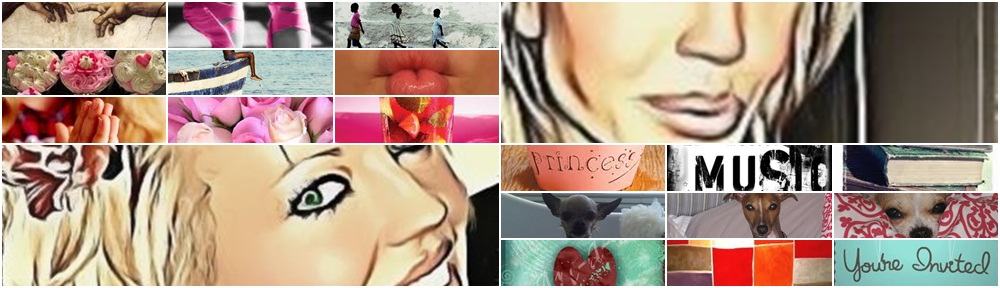
Collages for Desktops, blogs, websites, phone Wallpapers, letters and more … stunning as you can add pics that actually mean something to someone as a card on a gift or a simple letter to say thank you.
This slideshow requires JavaScript.





 An Ordinary Girl On An Extraordinary Journey Through Life